Interface converter, PHC-D08N
Caution
Product Description
Easily controllable from a computer, etc.
Freely control electrical appliances.
Interface Converter, PHC-D08N Click here
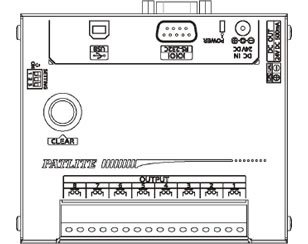
Details of the PHC-D08 interface converter
*USB cable (Type A male/Type B male) is not included. Please prepare your own.
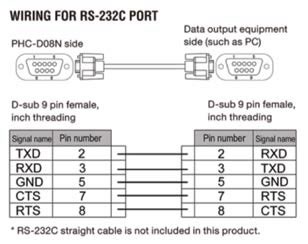
* This product does not come with an RS-232C straight cable for wiring. Please prepare your own.
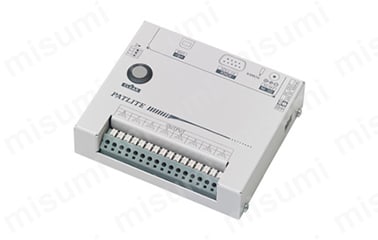
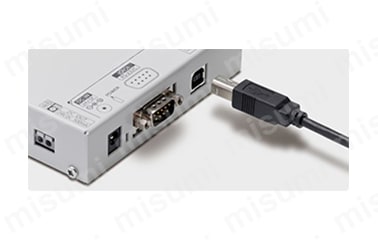
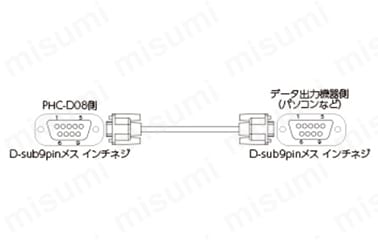
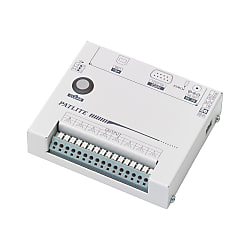
PHC-D08 interface converter product image USB connection support image RS-232 port wiring example
Product Specifications
Model | PHC-D08N (without AC adapter) | |
|---|---|---|
Rated voltage | Main unit | DC24V, DC5V (USB bus power) |
AC adapter | Input: AC100V to 240V (50/60Hz) Output: DC24V | |
Voltage Tolerance | AC90V to 264V (when using AC adapter) | |
Rated power consumption | During standby | 0.4W (when using AC100V) |
At maximum operation | 16W (when using AC100V) | |
Ambient temperature | 0℃~+40℃ | |
Ambient humidity | 20% to 85% RH (no condensation) | |
Installation location and direction | Indoors, forward direction | |
Protection rating | IP20 | |
mass | 370g (±10%) | |
interface | USB port | USB 2.0 compliant (bus power compatible) Standard B type (female) |
Serial port | RS-232C compliant D-Sub 9-pin (male) | |
External Contact Output | Number of contacts | 8 points |
Contact Specifications | Non-voltage contact output A contact | |
Contact Rating | DC30V/3A | |
Power output* | Output Rating | DC24V/500mA or less |
accessories | Installation instructions, rubber feet | |
Supported OS | Windows 7 (32bit, 64bit), Windows 8 (32bit, 64bit), Windows 8.1 (32bit, 64bit), Windows 10 (32bit, 64bit), Windows Server 2008 R2, Windows Server 2012, Windows Server 2012 R2 | |
* The power output terminal cannot be used unless the AC adapter is connected. When using the power output terminal, be sure to connect the AC adapter.
PHC-D08 Interface Converter Dimensions
(Unit: mm)
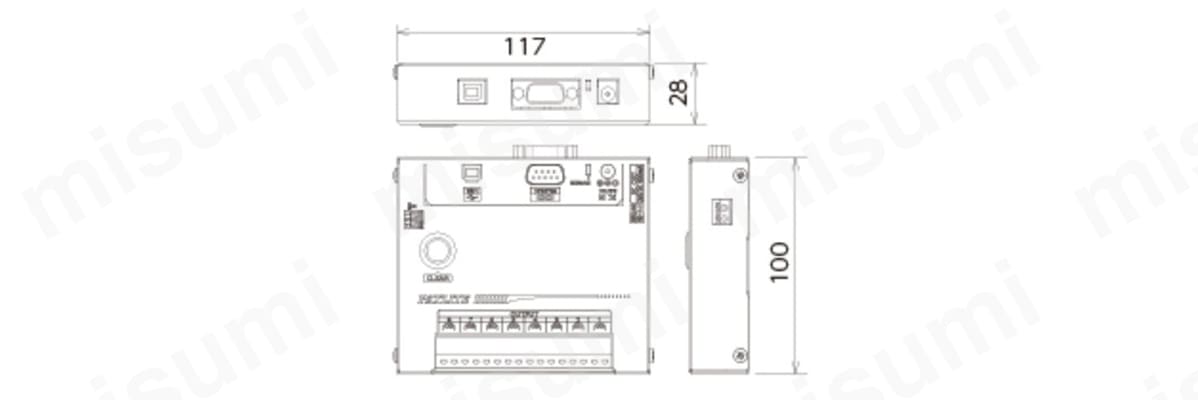
PHC-D08 interface converter dimensional drawing
Cautions and Prohibitions
*This product requires knowledge of how to create programs to output data from a computer's USB port/RS-232C port.
*This product does not come with an AC adapter. Please prepare your own.