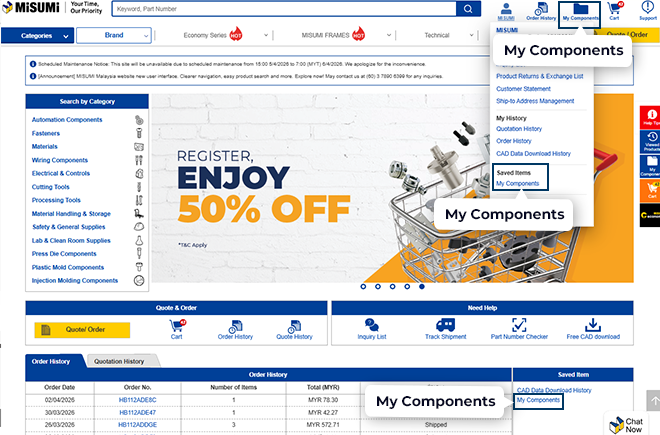
Manage using "My Components"
After logging in, you can find My Components from the homepage in the following locations:
1 Top Menu (Top Navigation)
Select “My Components” under the Saved Items section.
2 Saved Items Section (Homepage)
Click “My Components” to access your saved products.
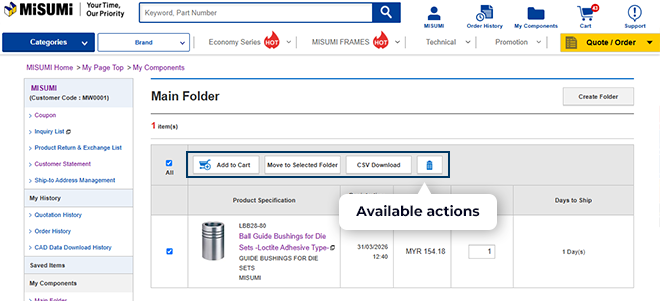
3 Available actions
Once an item is selected (checkbox ticked), the following options is avaiable:
1. Add to Cart - click "Add to Cart" to move the selected item(s) into the shopping cart.
2. Move to Selected Folder - use "Move to Selected Folder" to organize items into different folder.
3. CSV Download - click "CSV Download" to export selected item details into a CSV file.
4. Delete - click "Delete (trash icon) to remove selected item(s) from "My Components".
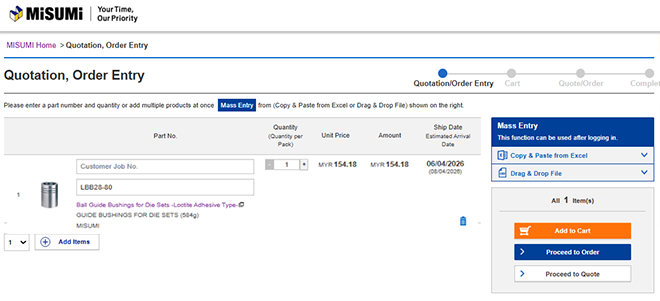
4 Quotation / Order Entry
After clicking ‘Add to Cart’, you will be redirected to the Quotation / Order Entry page.
May review your selected items, update details, and proceed with your order or quotation.